> ## Documentation Index
> Fetch the complete documentation index at: https://docs.odigos.io/llms.txt
> Use this file to discover all available pages before exploring further.
# Export profiles to Pyroscope
> Configure a Pyroscope destination on the VM Agent and view OTLP Profiles in the Pyroscope UI.
The VM Agent exports continuous profiles to external backends using the same **destinations** model as traces.
For profiling, add a destination whose **signals** include `PROFILES`. Any backend which accepts OTLP Profiles is supported.
## Pyroscope destination fields
See the [Pyroscope backend reference](/enterprise/backends/pyroscope) for all fields. Defaults for a local Pyroscope container on the same host:
| YAML / env key | UI label | Example | Notes |
| ----------------------- | ------------------ | ---------------- | ------------------------------------------------------------------------------------------------------- |
| `PYROSCOPE_URL` | Pyroscope Endpoint | `localhost:4040` | Distributor `host:port`. Odigos appends `/v1development/profiles` — do **not** include any path suffix. |
| `PYROSCOPE_TLS_ENABLED` | Enable TLS | `false` | Set to `true` when Pyroscope is fronted by TLS. |
| `signals` | Profiles checkbox | `[PROFILES]` | Required — Pyroscope only emits profiles. |
## Add destination with odictl
```shell theme={null}
odictl
```
Press `d` to focus **Destinations**, then `Enter` (or click **+ Add Destination**) and search for **profiles** to filter the list to backends that support the `PROFILES` signal.
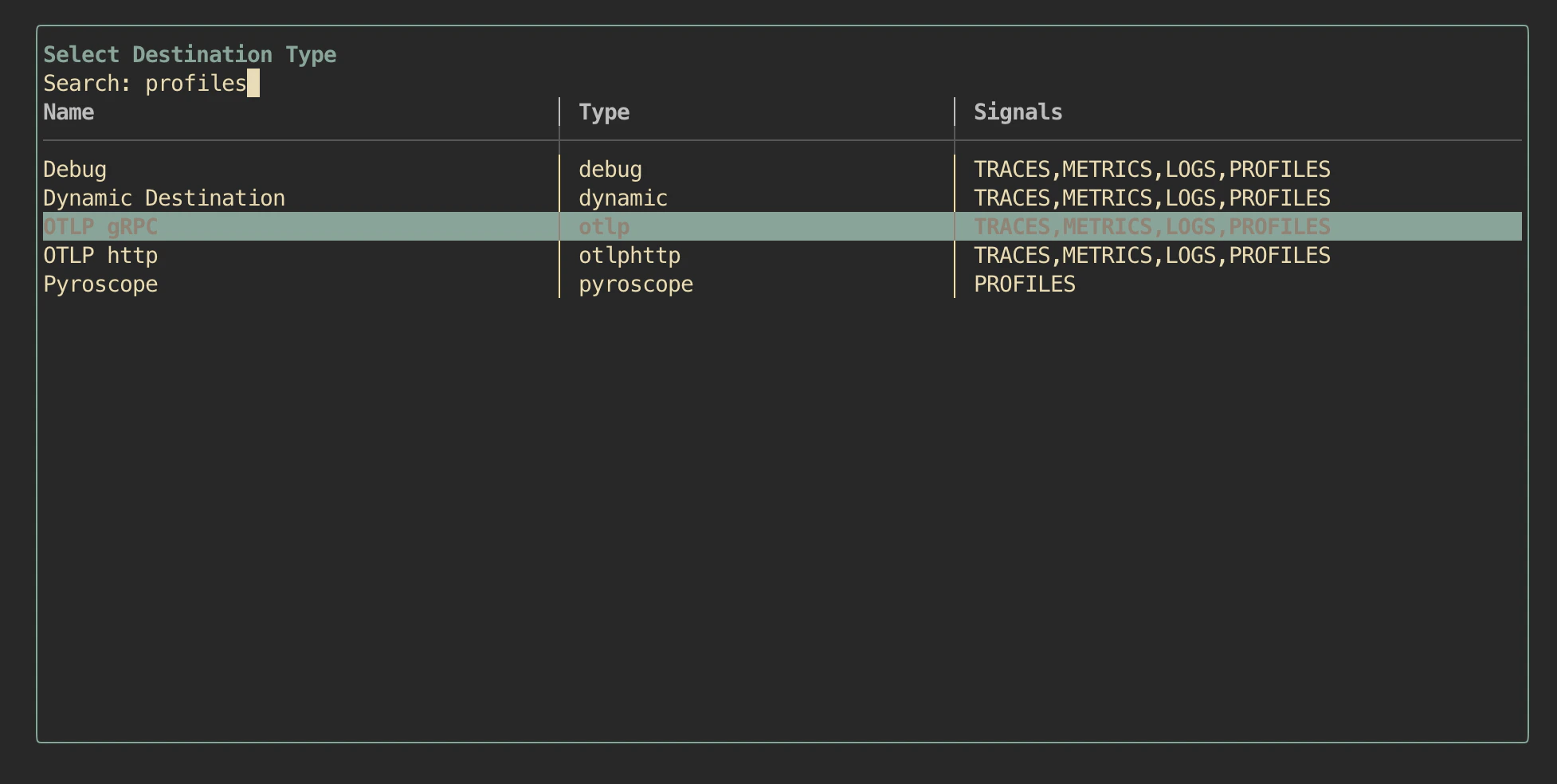 Highlight **Pyroscope** and press `Enter`.
Fill in **Pyroscope Endpoint** and toggle **Enable TLS** if needed. Leave **Profiles: Yes**.
Highlight **Pyroscope** and press `Enter`.
Fill in **Pyroscope Endpoint** and toggle **Enable TLS** if needed. Leave **Profiles: Yes**.
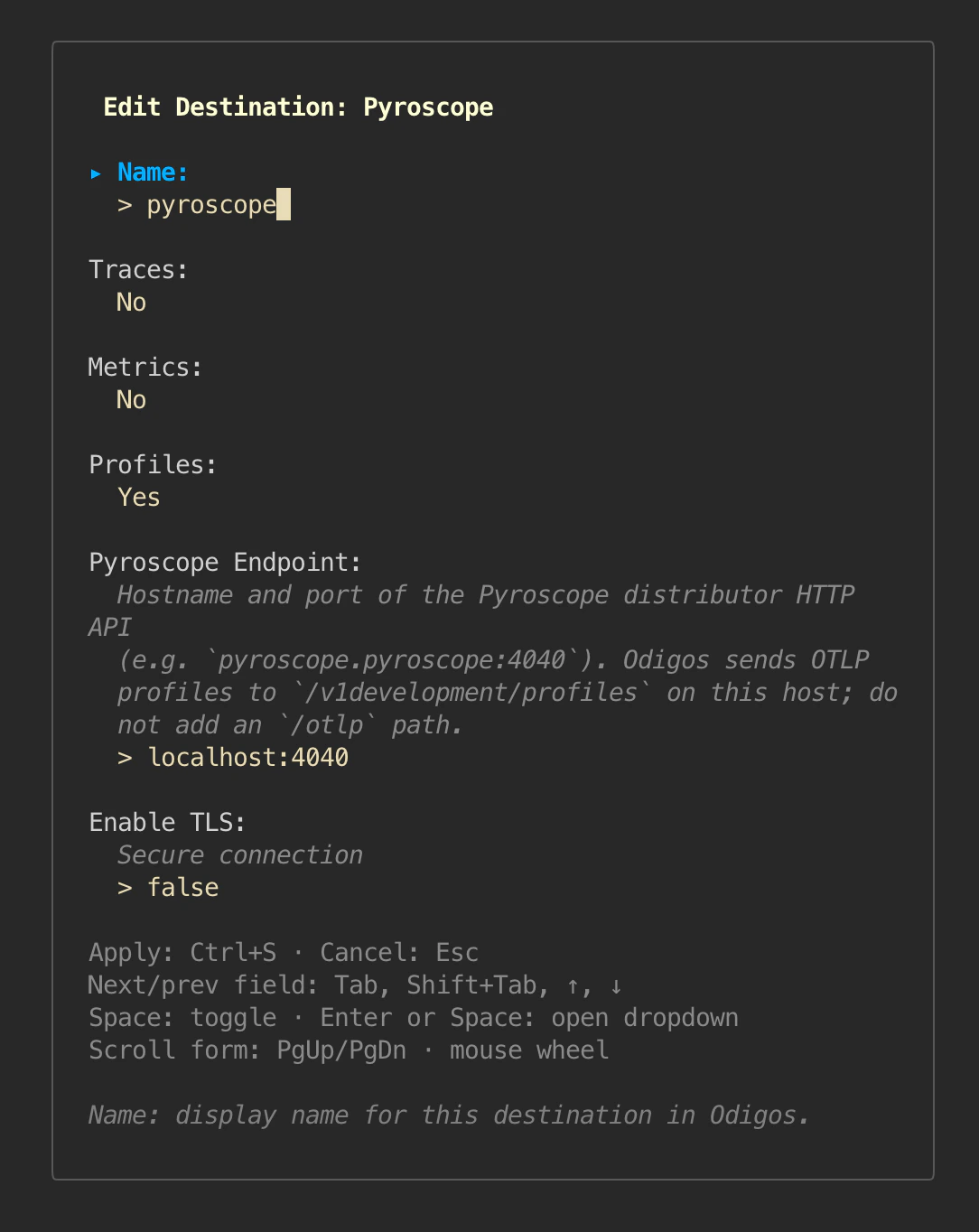 Press `Ctrl+S` (or focus **Apply** with `Tab` and press `Enter`) to save.
```shell theme={null}
sudo journalctl -u odigos-vmagent | grep 'Destination signals configured'
```
Look for a line containing `signals=[PROFILES]` for the new destination.
## Add destination with YAML
Create a file under `/etc/odigos-vmagent/destinations.d/`, for example `pyroscope.yaml`:
```yaml theme={null}
- name: pyroscope
type: pyroscope
signals:
- PROFILES
config:
PYROSCOPE_URL: "localhost:4040"
PYROSCOPE_TLS_ENABLED: "false"
```
The destination controller picks the file up automatically.
## Run Pyroscope on the host
Quick local run, useful for testing:
```shell theme={null}
docker run -d --name pyroscope -p 4040:4040 grafana/pyroscope:latest
```
If Pyroscope listens only on localhost, port-forward from your laptop:
```shell theme={null}
ssh -L 4040:localhost:4040
```
## View profiles
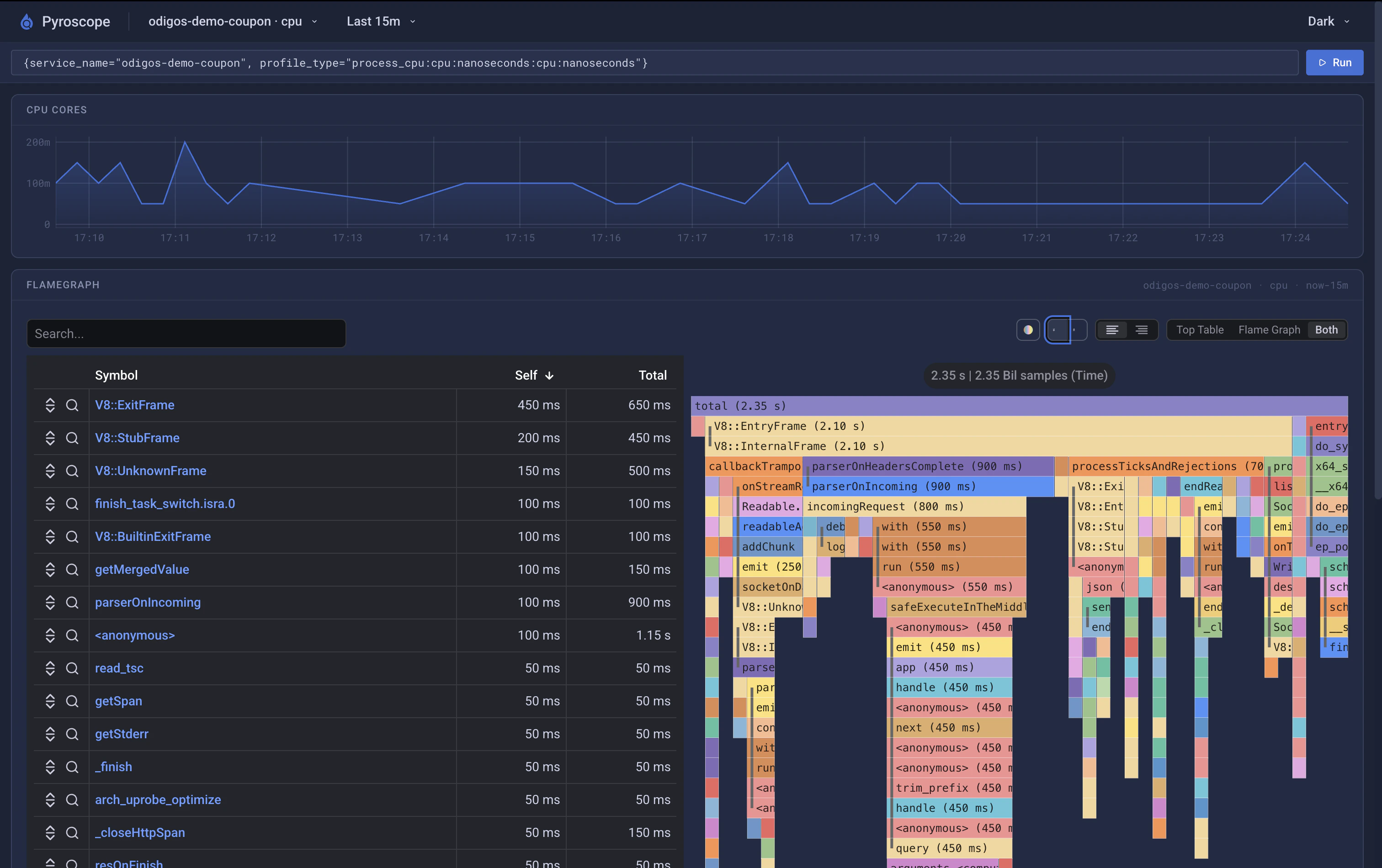
Open Pyroscope at `http://localhost:4040`. Pick profile type **`process_cpu`** and filter by **`service.name`** matching one of your enabled sources.
Press `Ctrl+S` (or focus **Apply** with `Tab` and press `Enter`) to save.
```shell theme={null}
sudo journalctl -u odigos-vmagent | grep 'Destination signals configured'
```
Look for a line containing `signals=[PROFILES]` for the new destination.
## Add destination with YAML
Create a file under `/etc/odigos-vmagent/destinations.d/`, for example `pyroscope.yaml`:
```yaml theme={null}
- name: pyroscope
type: pyroscope
signals:
- PROFILES
config:
PYROSCOPE_URL: "localhost:4040"
PYROSCOPE_TLS_ENABLED: "false"
```
The destination controller picks the file up automatically.
## Run Pyroscope on the host
Quick local run, useful for testing:
```shell theme={null}
docker run -d --name pyroscope -p 4040:4040 grafana/pyroscope:latest
```
If Pyroscope listens only on localhost, port-forward from your laptop:
```shell theme={null}
ssh -L 4040:localhost:4040
```
## View profiles
Open Pyroscope at `http://localhost:4040`. Pick profile type **`process_cpu`** and filter by **`service.name`** matching one of your enabled sources.
 ## Other OTLP Profiles backends
Any backend that accepts **OTLP Profiles** can be used with destination type `otlp` (gRPC) or `otlphttp` and `signals: [PROFILES]`. Pyroscope is documented here because it is easy to setup self-hosted target for VM deployments, the configuration shape for other backends is identical aside from their own endpoint fields.
## Getting Help
If you have any issues, or require our assistance, please open an issue in [GitHub](https://github.com/odigos-io/odigos), or reach out to us in [Odigos Slack](https://join.slack.com/t/odigos/shared_invite/zt-24u91yknm-0fLXu6qnqYfNHS_GSUgTJw)
## Other OTLP Profiles backends
Any backend that accepts **OTLP Profiles** can be used with destination type `otlp` (gRPC) or `otlphttp` and `signals: [PROFILES]`. Pyroscope is documented here because it is easy to setup self-hosted target for VM deployments, the configuration shape for other backends is identical aside from their own endpoint fields.
## Getting Help
If you have any issues, or require our assistance, please open an issue in [GitHub](https://github.com/odigos-io/odigos), or reach out to us in [Odigos Slack](https://join.slack.com/t/odigos/shared_invite/zt-24u91yknm-0fLXu6qnqYfNHS_GSUgTJw)